
Do you want to search in all categories or in this category ?

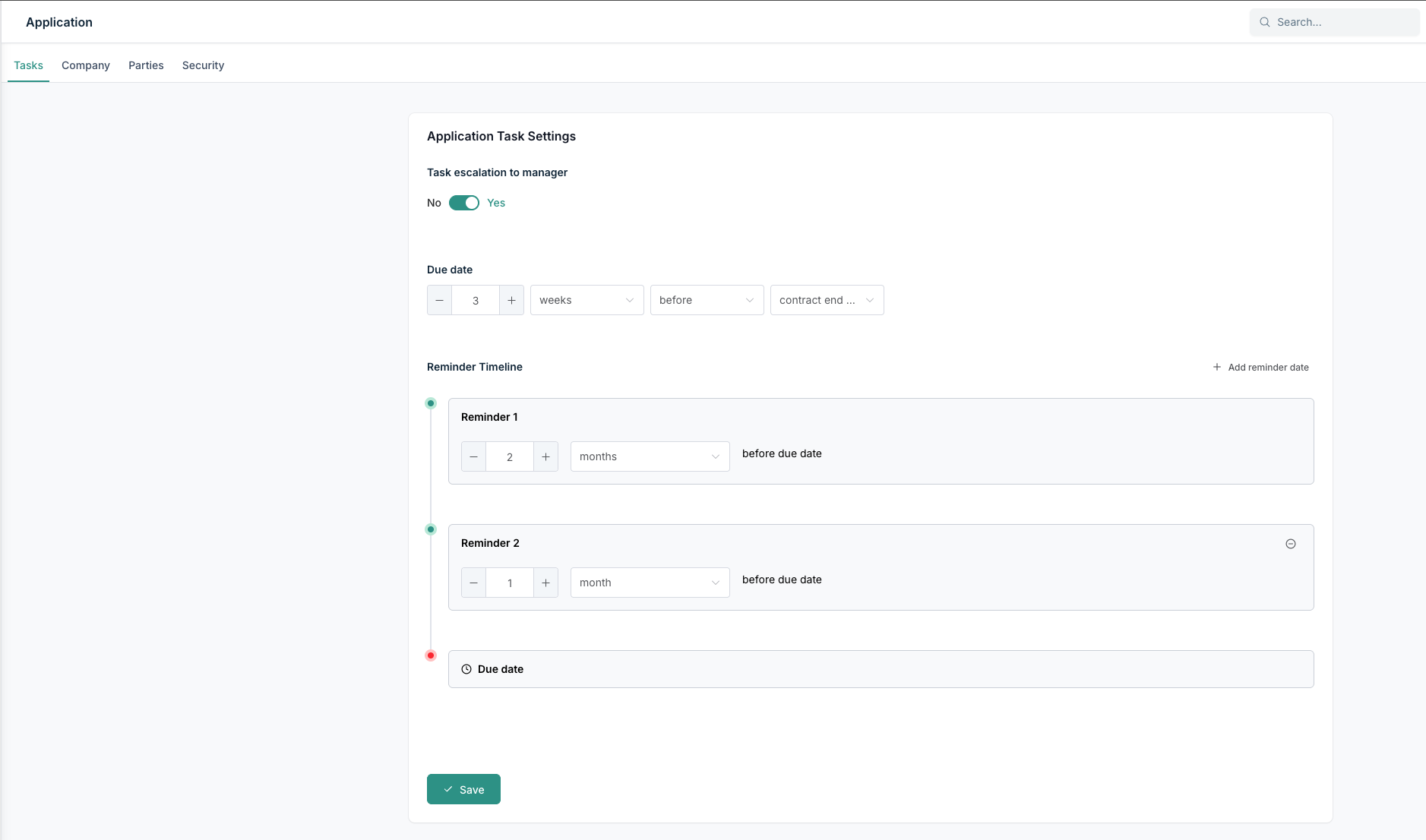
In many cases, the default date for the reminder of tasks has to change according to the type of contracts you are registering. With this feature, you can define your default duration for the automated tasks our platform makes.
Under Settings => Application, there is a tab called “Tasks”.
In here you have the same settings as you have when editing a tasks that has been automatically made by the platform.
When you add a reminder date by clicking on the button on the top right, you'll immediately receive an error stating that reminders cannot be on the same date. Only 1 reminder is allowed per day.
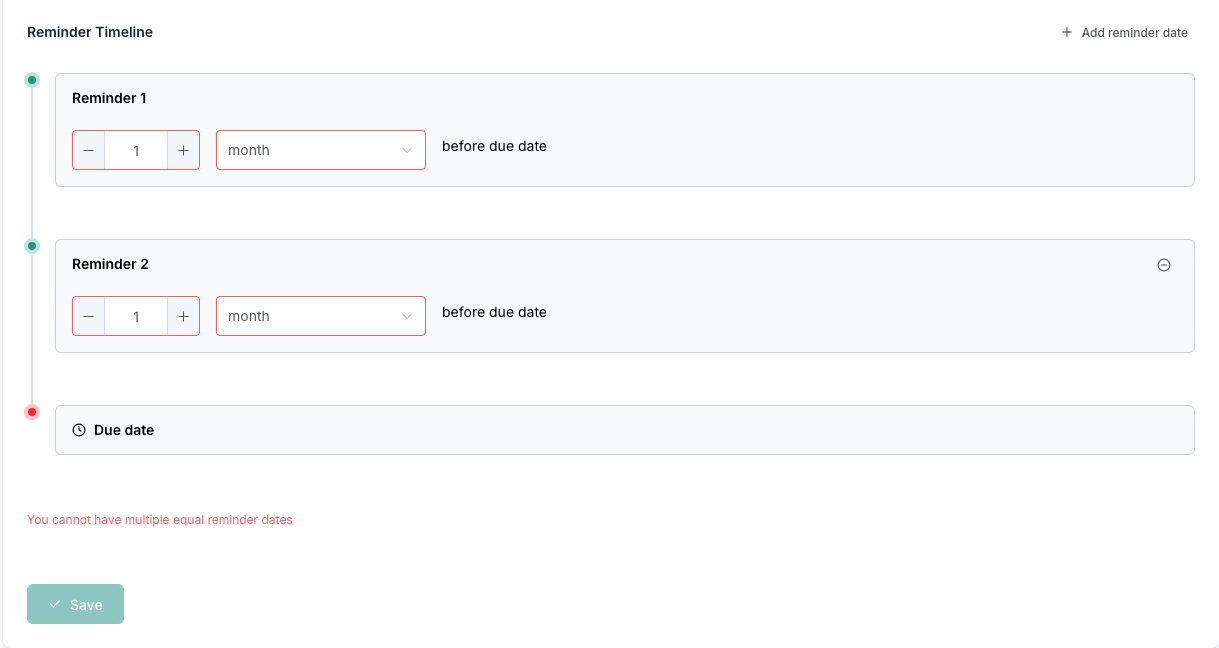
After configuring the dates correctly, you can save it.
Do note that this only applies to newly made contracts. Older tasks that were already made, will not be changed.


