
Do you want to search in all categories or in this category ?

Within Contractify, you can export various list views.
Specifically, exporting is possible within the:
Contract overview
Contract tasks overview
Relations overview
Legal entities overview
File overview
This export function allows you to easily download data to Excel for further analysis, reporting or internal processing/follow-up.
Go to the desired overview (e.g. Contracts) in the navigation menu.
Click on the Export button at the top right.
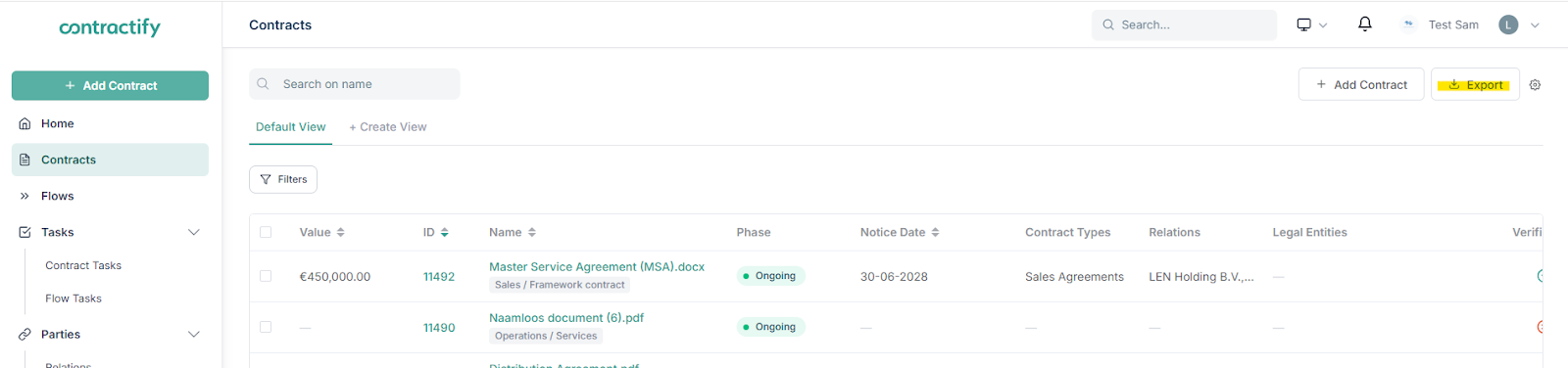
A window will open in which you can select the columns you want to include in your export.
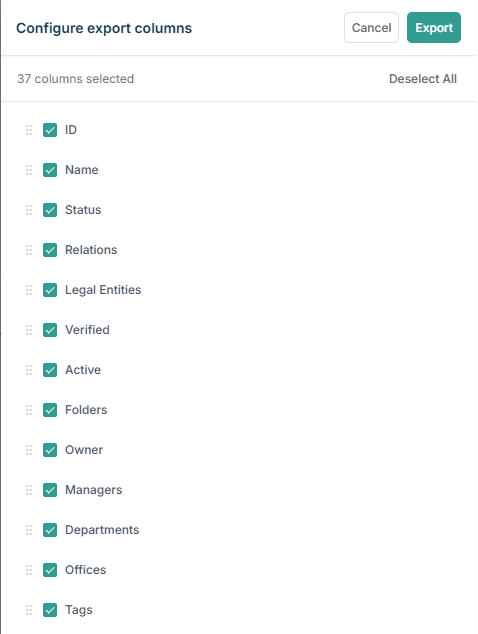
By clicking and dragging the 6 dots next to the corresponding column, you can determine the order of the columns.
Confirm the export at the top right by clicking on “Export”.
You will receive an Excel file (.xlsx) with the selected data in your downloads.
This Excel file provides an overview of all contracts in your contract overview page, even those that are not visible on the first results page.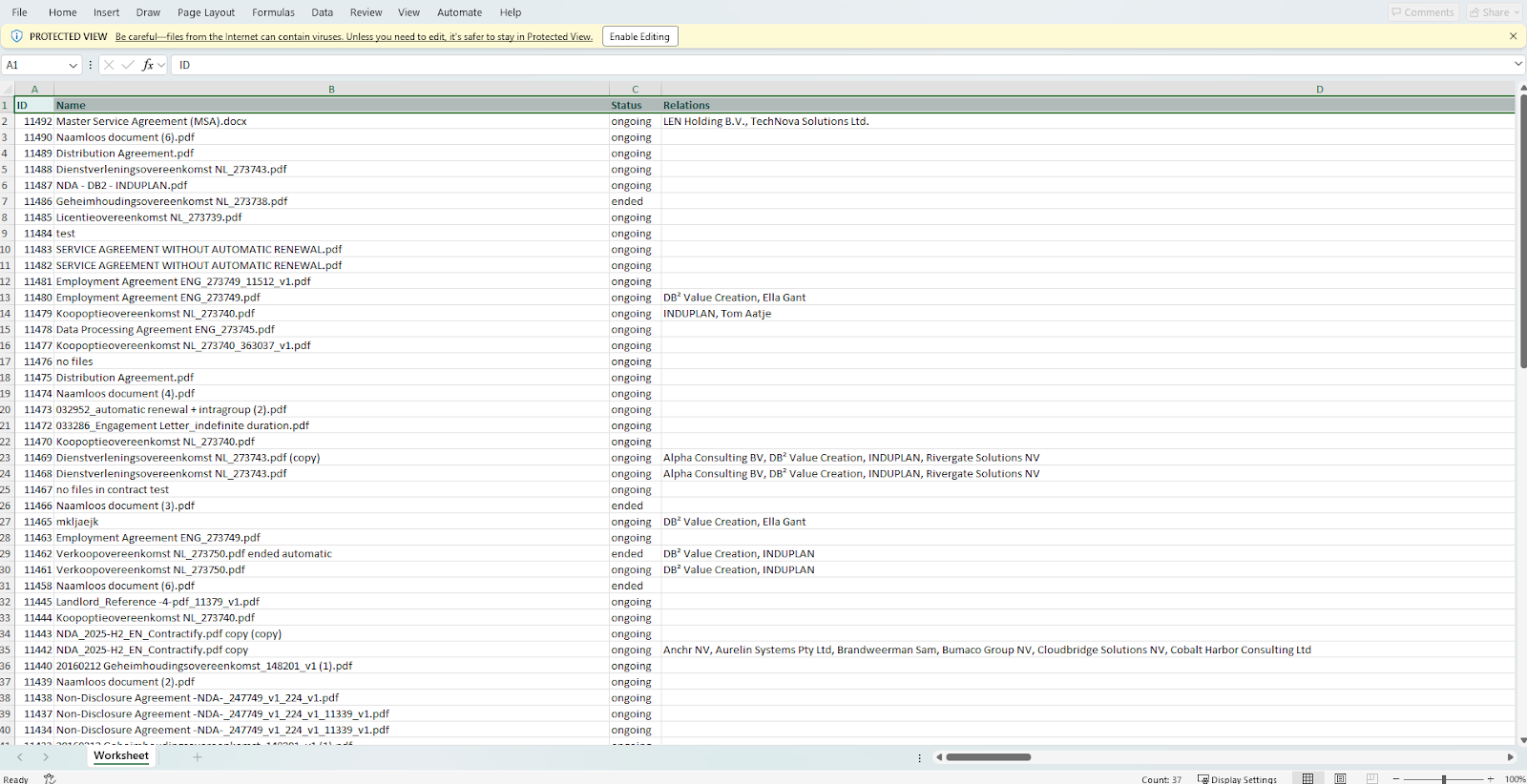
When exporting, you can decide which columns to include in your Excel file and in which order they will appear in the Excel file. This ensures that you only export the information that is relevant to you.
If you first apply filters on an overview page (e.g. by status, contract owner, end date, contract type, etc.) and then perform an export, your Excel file will only contain the filtered results.
In the example below, all active legal contracts are filtered: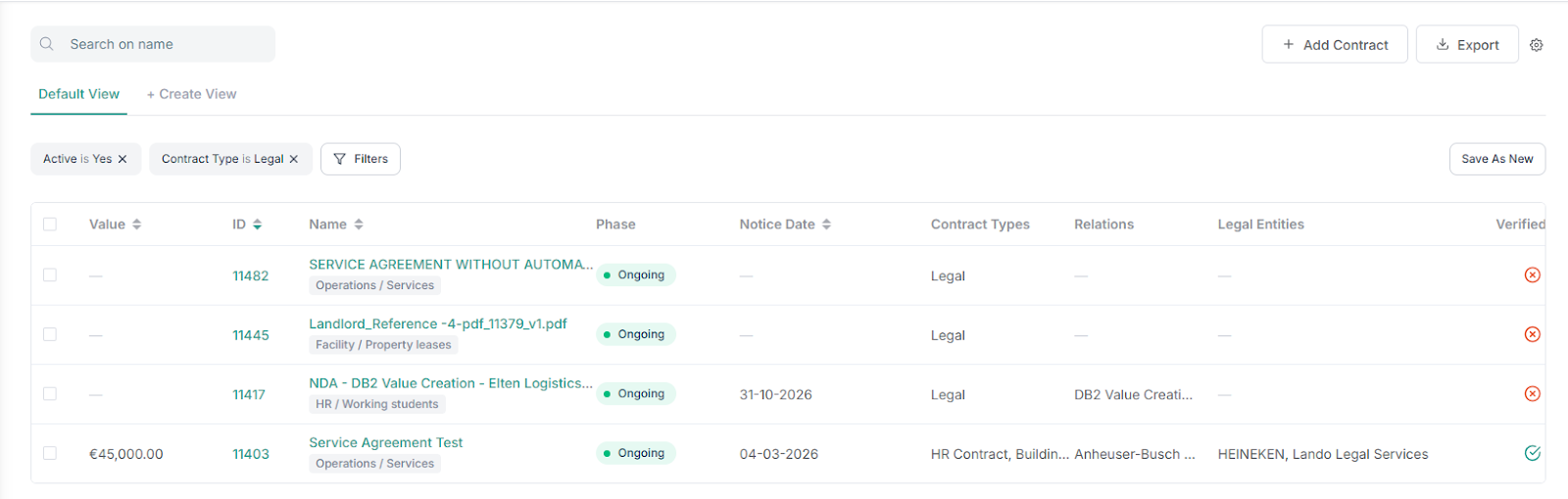
The export therefore only contains these relevant contracts that were filtered:

ID
Name
Status
Relations
Legal entities
Verified
Active
Folders
Owner
Managers
Departments
Offices
Tags
Contract types
Value
Currency
Start date
End date
Notice date
Notice period
Tacit renewal
Is Terminable at any time
Has Indefinite duration
Afterwards, you will also see all your Custom fields listed.
Title
Task owner
Due date
Reminder date
Status
Task Info
Notes
Contract ID
Contract name
Contract owner
Relations
Legal entities
Offices
Departments
ID
Name
VAT number
Chamber of Commerce number
Trade register
Address line 1
Address line 2
Postal Code
Country
City
State
Phone
Mobile phone
Fax
Website
Is Contract expected
Reference
Description
Legal form
Tags
Afterwards, you will also see all Custom fields listed
ID
Name
VAT number
Chamber of Commerce number
Trade register
Address line 1
Address line 2
Postal Code
Country
City
State
Phone
Mobile phone
Fax
Website
Is Contract expected
Reference
Description
Legal form
Tags
Afterwards, you will also see all Custom fields listed
ID
Name
Folders
Uploaded At
Is Handled
Owner
Uploader
Relationships
Legal entities
Offices
Departments
Tags
File type
File size
Page Count
Detected language
Linked contract IDs
Document types
Afterwards, you will also see all Custom fields listed
⚠️ Please note: the available columns may vary depending on the configuration of your environment.


A basic user guide on how to configure your Contractify environment.
